A practical guide to protect your privacy
Over the past few years, the presence of hidden cameras has become a growing concern. These discreet devices can be installed in various environments — from hotel rooms and Airbnb rentals to private offices and changing facilities — posing significant privacy risks. Knowing how to find hidden cameras is essential for anyone who values their personal space and privacy.
This guide provides actionable, straightforward techniques to help you identify covert surveillance devices quickly and effectively. Remember, these methods are for informational purposes and should always be used responsibly and within legal boundaries.
Essential tips for detecting hidden cameras
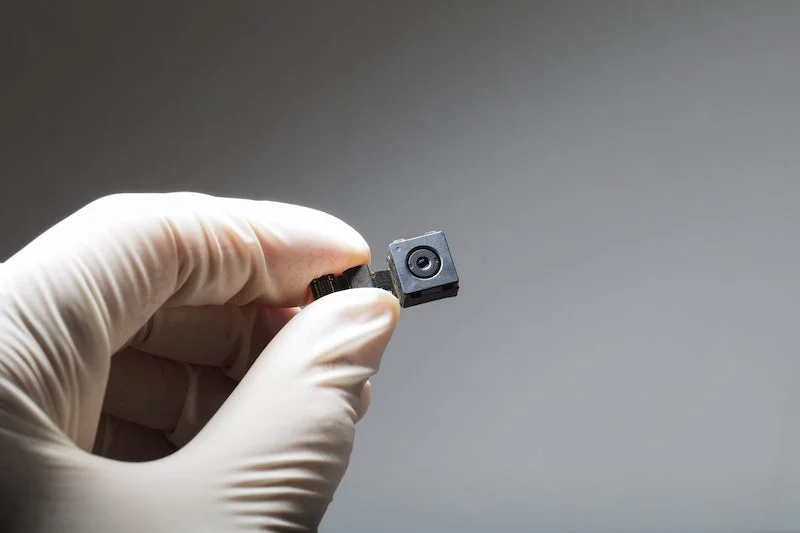
Finding hidden cameras involves a careful, systematic inspection of your surroundings. Start by focusing on common hiding spots such as smoke detectors, electrical outlets, picture frames, and unusual objects in the room. Look for suspicious wires, tiny lenses, or reflective spots that may reveal a hidden camera.
Listening closely for faint humming or buzzing sounds — especially if you notice a device with motion sensors — can also provide valuable clues. A device that looks out of place or contains a tiny lens should be checked further.
How to check a room for hidden cameras
Use a flashlight:
Power down the lights and methodically scan the room with a flashlight. Camera lenses tend to reflect light, creating bright spots or glints. Consider places such as smoke detectors, clocks, electrical outlets, or decorative objects.
Inspect mirrors:
Hold your fingernail against the mirror surface. If there’s a small gap between your nail and its reflection, it’s a regular mirror. If the reflection is flush with your finger, it could be a two-way mirror hiding a camera. Light tapping can also reveal the difference in sound — dull for regular mirrors and hollow or sharp for two-way mirrors.
Examine electronic objects:
Closely inspect USB chargers, alarm clocks, and picture frames. Look for tiny holes, unusual lenses, or reflective surfaces. Use your flashlight to identify any odd glints or anomalies.
Monitor Wi-Fi connections:
Many hidden cameras connect to Wi-Fi networks. Log in to your router’s admin panel or use a Wi-Fi scanning app to detect unfamiliar or suspicious devices. Devices with strange names or unknown attributes could be covert cameras transmitting data.
Employ specialized detectors:
Portable RF signal detectors or lens finders are highly effective for locating wireless or wired hidden cameras. Turn off other wireless devices to reduce interference, then scan the room thoroughly. A beeping sound or flashing light typically indicates detection.
Leverage your smartphone
Modern smartphones can be a powerful tool in your quest to detect hidden cameras thanks to:
- Infrared detection: use your phone’s front camera in a dark room to spot infrared LEDs of night-vision cameras. Bright spots on the screen may indicate IR illumination.
- Detection apps: download reputable hidden camera detection apps. These analyzers reflect light or RF signals, alerting you to potential covert devices nearby.
When in doubt, seek professional assistance
If your thorough inspections yield no conclusive evidence but suspicions remain, enlisting a professional security expert is the safest course of action. Skilled technicians utilize advanced RF detectors, lens finders, and specialized equipment to perform comprehensive room scans. Such checks are particularly recommended before important events, such as business meetings, confidential negotiations, or personal safety concerns, where thoroughness matters.
To ensure comprehensive protection of your premises and maintain peace of mind, consider investing in integrated security solutions tailored to your needs. A complete security system detects threats and provides reliable monitoring and control, giving you confidence in your safety at all times.